

Record a measurement
Updated September 4, 2026
On this page
Measurements are captured in the mobile app — from a connected Minipa instrument, or by typing a manual reading. There is no capture on the web.
In the app — from +
1
On the Dashboard, tap +.

2
Tap Create manual measurement.
3
Enter a Primary value and unit. Function and Label are optional. Then tap Save.
In the app — from Link
1
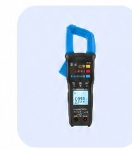
Open the Link tab. Tap Scan and select your Minipa device. Or tap Manual to type a reading.
2
On Live measurement, tap Capture to save the reading. Switch Mode to Continuous and tap Start recording for a stream.
Tips
- From +, tap Create manual measurement to type a Primary value and unit.
- From the Link tab, tap Scan to connect an instrument, or tap Manual.
- On Live measurement, tap Capture for one reading, or switch Mode to Continuous and Start recording.
- Optionally turn on Comparison for a live Pass or Fail. See Compare a measurement against a limit.
- Pairing help: Pair a Minipa instrument via Bluetooth.
- Then Keep measurements on a project.
Was this article helpful?