

Pair a Minipa instrument via Bluetooth
Updated September 4, 2026
Pairing is only in the Minipa Link app, on the Link tab. The web dashboard has no Bluetooth scan or pair UI.
Open the Link tab
Pairing happens in the Minipa Link app — there is no Bluetooth pairing on the web. On Dashboard, tap the Link tile.

The first scan needs Bluetooth and location. If you see Permissions required, tap Retry and allow both when the phone asks.
Turn on your Minipa instrument and its Bluetooth. On the Link tab, tap Scan.
Scan and connect
The app shows Scanning… while it looks for nearby devices. Keep the instrument close and powered on.
When devices appear under Available devices:, tap your Minipa instrument — for example ET-3105BT.
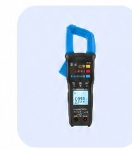
Status moves to Connecting. Wait until it finishes — don't leave the Link tab.
When status is Connected, tap the device to open Live measurement.
Open live measurement
Readings stream on Live measurement. Tap Capture to save a value, or see Record a measurement from a Minipa instrument.
Tips
- Allow Bluetooth and location the first time the app asks.
- Only supported Minipa models stream readings. A row marked Not recognized will not connect for live values.
- After you connect, capture readings with Record a measurement from a Minipa instrument.
- Having trouble? See Fix Bluetooth connection problems.
Was this article helpful?